



Ecommerce automation: which processes to automate first

Ecommerce automation means that a system, following set rules, takes over repetitive tasks such as re-keying orders into the ERP, issuing invoices, checking stock or printing shipping labels. The first things worth automating are the ones that touch every order: passing orders to the ERP, syncing stock, invoicing, and dispatch and shipping.
Our clients show what this looks like in practice. At Argus, a maker of greeting cards and postcards, 82% of the year’s orders reach SAP Business One without anyone re-keying them. Kondela, a furniture wholesaler, processes more than 60,000 partner orders a year through a B2B portal connected to the Llarik ERP.
In a small online store, one person can handle orders, stock and invoices by hand. As the number of orders, products and customers grows, that work starts to hold the business back. Orders get re-typed, stock is checked in spreadsheets, invoices go out one at a time and customers keep asking where their parcel is. Well-designed automation takes these tasks off the team, cuts errors and lets the store handle more orders with the same people.
What online store automation means
Online store automation can be as simple as an email after an order arrives, or as broad as connecting the store to the ERP, warehouse, accounting, carriers, payment gateways and marketing tools.
Almost the whole order journey can be automated, from placing the order through payment checks, stock reservation, invoicing and label printing to keeping the customer informed. The order in which you automate matters. The biggest gains come from automation that covers a large number of orders, removes manual re-keying between systems and is something the customer notices directly.
Which automations save the most
The table shows the 14 automations we set up most often in online stores, what each one saves and when it pays off. The first five touch every order, so we recommend starting with them. Once these foundations are running, you can move on to automating marketing, customer support and online store management with AI.
| Automation | What it saves | When it pays off |
|---|---|---|
| 1. Order processing | Manual status changes, passing orders to the warehouse and confirmation emails | From dozens of orders a day |
| 2. Connection to the ERP or accounting | Re-keying orders, customers and invoices between systems | With a separate ERP or accounting system |
| 3. Stock availability | Cancelled orders for sold-out goods | With several warehouses or shops, or goods that sell out quickly |
| 4. Invoicing | Issuing and sending invoices one at a time | With invoices issued every day and with B2B customers |
| 5. Dispatch, shipping and labels | Copying addresses into the carrier’s system and entering tracking numbers | When dispatch takes hours a day |
| 6. Order status emails | Answers to “where is my parcel” questions | Always, they only need setting up once |
| 7. Abandoned carts | Manually contacting customers who did not complete their purchase | With higher traffic |
| 8. Product catalogue | Creating products and filling in parameters by hand | With thousands of products, frequent range changes or several suppliers |
| 9. Prices and B2B price lists | Setting prices and discounts for each customer separately | With B2B sales and frequent promotions |
| 10. Product feeds | Manual exports for price comparison sites and ad platforms | When selling through Heureka, Google and online marketplaces |
| 11. Customer support | Answers to questions about order status, payment, delivery and returns | When support keeps handling the same questions |
| 12. Warranty claims and returns | Tracking down orders and keeping track of cases by hand | With a higher number of returns and claims |
| 13. Reports and dashboards | Putting spreadsheets together from the online store, ERP and other systems | When management regularly tracks sales, stock and margins |
| 14. AI assistant in the admin | Clicking through the admin to edit products, prices and copy, writing descriptions and summarising data | With a large catalogue, once the data and core processes are in order |
1. Order processing automation
Every order goes through the same steps: it is received, the payment is checked, the goods are reserved, the order goes to the warehouse or ERP, the parcel is prepared, the invoice is issued, the parcel is handed to the carrier and the customer is kept informed. When a person does all of this, the store soon runs into the limits of the team.
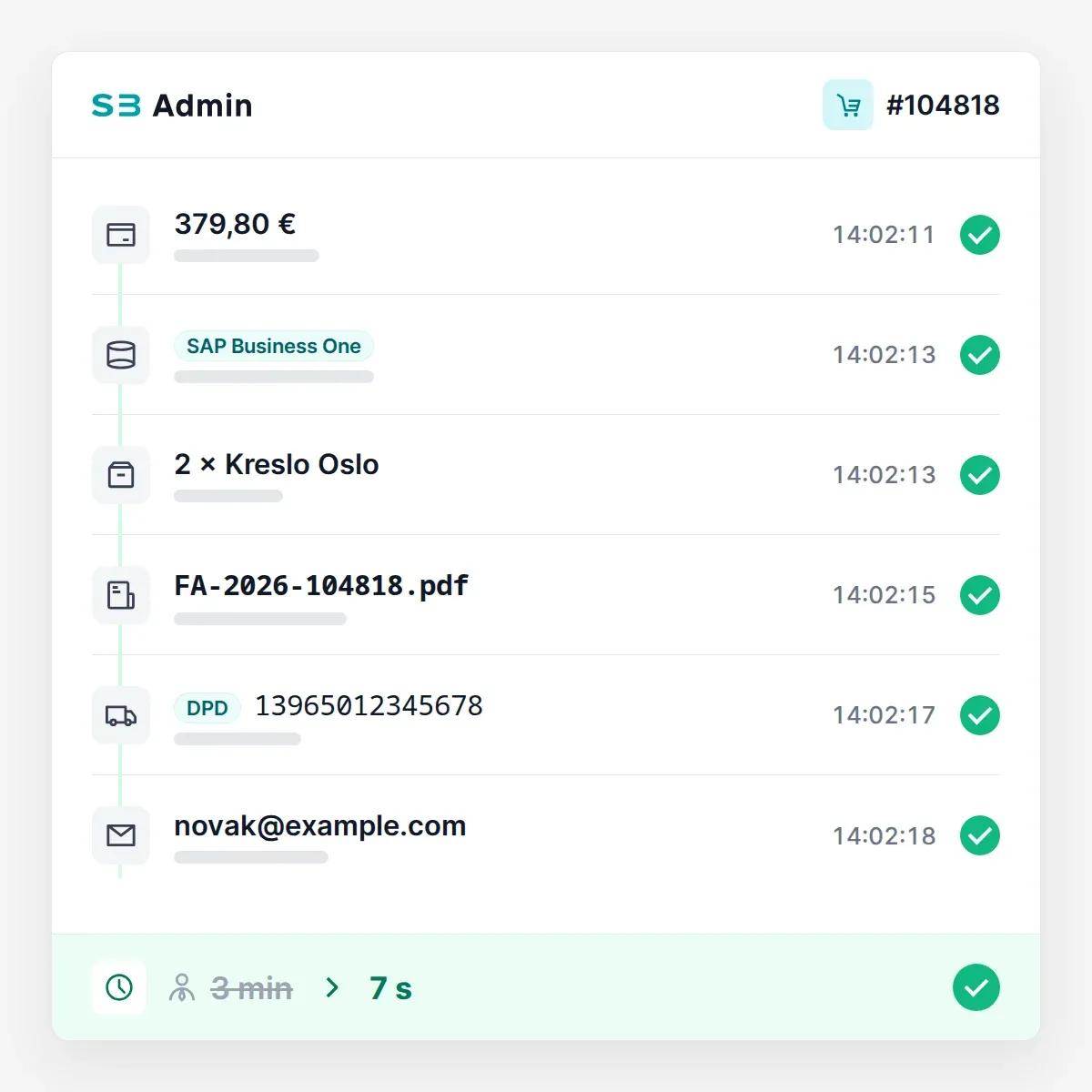
With automation, a predefined process starts as soon as the order is placed. Once it is paid, the order status changes, the order goes to the warehouse, an invoice is created, a shipping label is generated and the customer gets an email. The more orders a store processes, the more it saves.
Argus has both its online store and an app for its 16 sales reps connected to SAP Business One, and the app brings in more than 1,400 orders a month. Between the two channels, 82% of Argus’s annual orders are recorded in SAP automatically. In the Kondela B2B portal, a wholesale customer uploads an order from a CSV file and the Llarik ERP receives a separate order for each of the customer’s jobs.
2. Connecting the online store to the ERP or accounting system
When orders, customers, invoices or stock movements are re-keyed between systems by hand, errors and delays follow. An online store can be connected to SAP, Pohoda, Money, Helios, Odoo or your own internal system so that data flows between them without re-typing.
The main things you can automate are:
- sending orders to the ERP,
- creating and syncing customers,
- passing on billing details and invoices,
- updating order statuses,
- syncing stock levels,
- importing prices and trading terms.
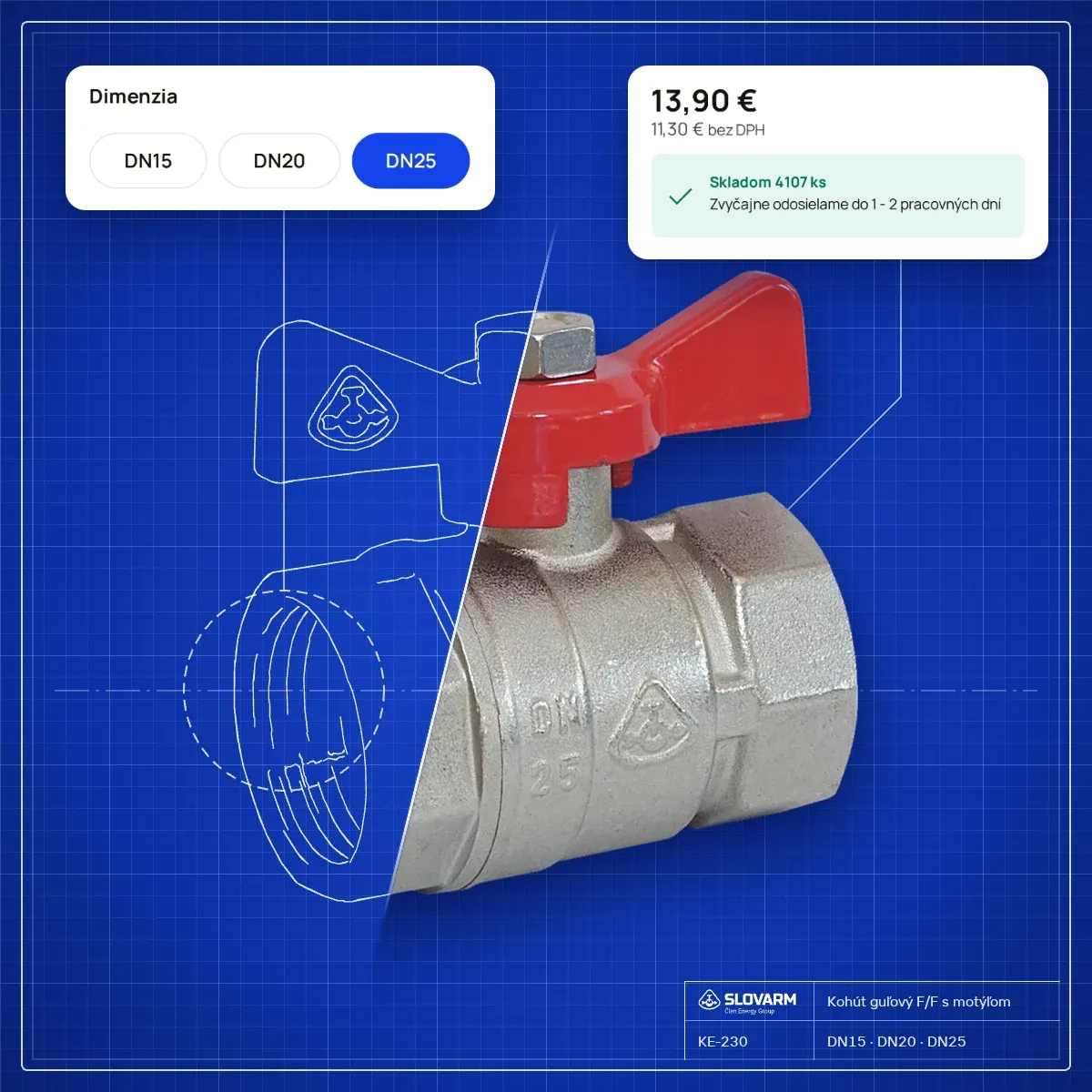
At Slovarm, a maker of valves and fittings, the online store checks a new B2B customer’s VAT number in VIES and then creates the customer in SAP S/4HANA on its own. Pipes sold by the metre go to SAP in the correct unit, so the sales team does not have to recalculate orders. We describe how an integration works and which systems we connect on our ERP integration page.
3. Stock availability automation
When a store sells goods that are no longer in stock, the result is cancellations, disappointed customers and extra work for support. With automation, the store works with live stock levels, reserves goods as soon as an order is placed and shows availability for each warehouse.
Larger stores need to distinguish between physical stock, reserved quantities, goods in the shops, goods in the central warehouse and expected deliveries. In the Kondela B2B portal, a partner can see for every product whether it is in stock, in an external warehouse or sold out. The Llarik ERP calculates the delivery date, and the partner finds it in the catalogue, in the cart and in the confirmation email.
4. Automatic invoicing
With automatic invoicing, an invoice is created once a condition is met, for example when the order is paid or dispatched. It can then be sent to the customer, stored with the order, passed to accounting and made available in the customer account.
A Kondela partner finds a new invoice from the Llarik ERP in the B2B portal within minutes of it being issued, together with its payment status. Argus customers download their SAP invoices in their account and do not have to ask the sales team for them.
5. Dispatch, shipping and label automation
Without automation, warehouse staff copy addresses into the carrier’s system, print labels, enter tracking numbers and keep customers informed. Once the store is connected to its carriers, the shipment is created with no human input, the label prints with one click and the tracking number goes back into the order and into the customer’s email.
At checkout, the customer chooses a DPD, Packeta or Balíkovo pick-up point on a map, and the address goes into the shipment without re-typing. Dispatch is faster, addresses are error-free and the store copes better with seasonal and campaign peaks.
6. Automatic order status emails
Customers want to know what is happening with their order. When the online store does not tell them, they ask support. You can send automatically:
- an order and payment confirmation,
- a dispatch notice with the tracking number,
- a prompt to collect the parcel at a pick-up point or in store,
- a review request after delivery,
- a back-in-stock notice for goods the customer is waiting for.
7. Abandoned carts
A customer adds a product to the cart but does not complete the order. An automatic email, or a series of emails, reminds them of the purchase. It reaches people who have already shown interest in the product, so you do not have to win them again through advertising. A more advanced setup takes into account the cart value, the type of customer or their purchase history.
8. Product catalogue automation
With thousands of products, creating them and filling in parameters, images, prices and availability takes a lot of time. Supplier imports, a PIM connection, regular price and availability updates and automatic categorisation all help.
Najlekáreň, an online pharmacy, offers more than 75,000 active products from several pharmaceutical distributors in an online store connected to Odoo. A catalogue of that size only stays up to date when distributors’ offers reach the store automatically.
Slovarm has more than 6,000 products in its online store and fills in their parameters in bulk using product templates. For Slovenka, a lingerie maker, duplicate production variants of the same product are merged into one when they are imported from the ERP into the online store.
9. Automating prices, discounts and B2B price lists
With a large product range, B2B sales or frequent promotions, managing prices by hand is slow and risky. Prices can change according to rules, based on supplier price lists, margin, customer segment or individual terms. Once logged in, customers see their own prices, discounts and limits without anyone setting them for each order.
Argus changes prices only in SAP and the online store picks them up. Slovarm automatically blocks new orders from a customer with overdue invoices.
Automation goes furthest with made-to-order products. For DIW, a hybrid print shop, we moved the formulas from Excel into a price calculator with 88 formulas and 500,000 parameters. Customers see the price of any of more than 10 million combinations within 300 ms, right in the online store, without a phone call or waiting for a quote. The PreSpánok bed configurator replaced manual price calculations in its shops.
10. Automatic product feeds
Price comparison sites, ad platforms and marketplaces all need up-to-date product data, each in its own format. An automatic export keeps prices and availability in the feed the same as in the online store.
The Argus online store sends feeds to Heureka, Zboží.cz, Alza, Google Merchant Center and Sklik. Argus partners also pull products, prices and stock levels straight into their own online stores.
11. Customer support automation
Support often answers the same questions. Where is my order, when will the parcel arrive, how do I return goods, has my payment come through? When customers can see order status, invoices, shipments and claims in their account, they find most answers themselves. A chatbot or AI assistant handles the basic questions and passes more complex cases to a person with all the details attached.
For B2B sales, this kind of account comes with the SmartBase B2B Zone, where business customers see their prices, orders and invoices.
12. Automating warranty claims and returns
The customer fills in an online form and the system links it to the order, opens a case and sends a confirmation. The team then tracks progress in one place. At Argus, returns entered by sales reps in the field go straight into SAP.
13. Automatic reports and dashboards
Beyond the number of orders, management needs to see margins, stock turnover, campaign performance, returns and best-selling products. Instead of pulling spreadsheets together from several systems by hand, the data comes together in one dashboard. We describe how we combine data from different sources under data transformation.
14. AI automation in an online store
AI helps with writing product descriptions and SEO copy, product recommendations, customer support, review analysis and summarising data for management. It delivers the most when it works with good data and builds on core processes that are already automated.
A newer option is an AI assistant connected directly to the online store admin. Instead of clicking through dozens of products, the team describes the task in one sentence and the assistant makes the changes itself.
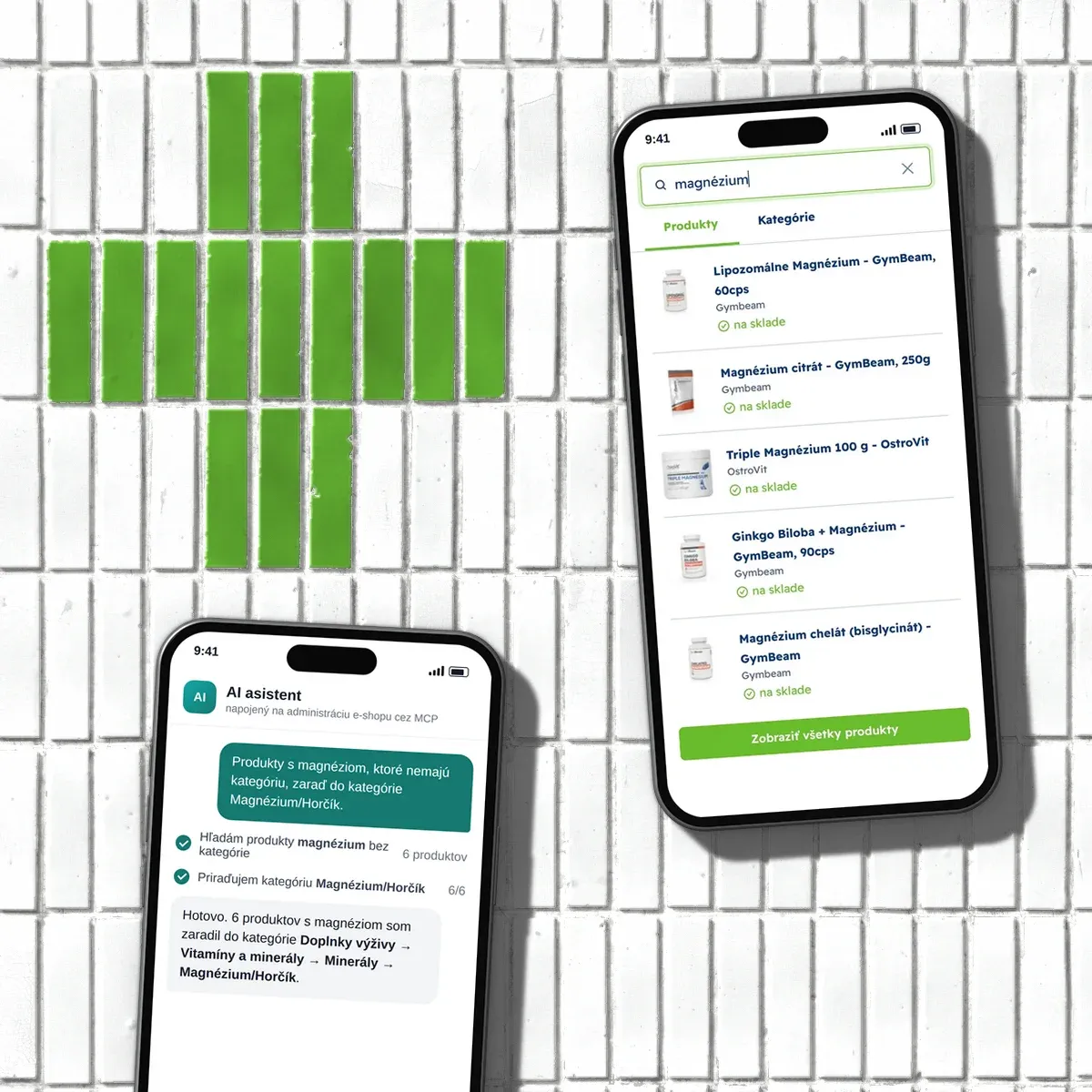
In the Najlekáreň online store admin, the team gives the AI assistant a task in plain language, even from a phone. The assistant assigns products to a category, edits prices or copy and prepares an overview of orders. It is connected to the admin through MCP, an interface that lets AI work with the store’s data.
The assistant works with the permissions of the logged-in user, so it can only do what that user could do. It asks for confirmation before deleting anything or making other sensitive changes, and every change stays in the edit history.
You will find more examples in the article AI automation in e-commerce and on our AI solutions page.
How to work out what to automate first
Start where the team loses the most time. Before introducing automation, it is worth going through the team’s daily work and finding where the most manual work, errors or delays occur:
- Which tasks do we do by hand every day?
- Where do errors happen most often?
- What slows down order dispatch?
- Which questions does support answer over and over again?
- Which data do we re-key between systems?
- Which reports do we put together by hand?
A simple calculation helps. If retyping one order into the ERP takes 3 minutes and the store receives 150 orders a day, that is 7.5 hours of work every day, almost a full working day for one person.
If the store’s core processes are not yet in order, start with orders, stock, invoicing and shipping. Marketing, reporting and AI automation come after that.
When off-the-shelf plugins are not enough
For simple processes, an off-the-shelf plugin is enough. It covers a generic scenario, though. When a company has its own way of invoicing, several warehouses, individual prices, B2B customers, an ERP or a PIM, it needs custom automation built around the way it works.
How SmartBase helps with automation
We see an online store as part of the business. It has to work together with the warehouse, ERP, accounting, carriers, payments, marketing and support. For our clients we provide:
- analysis of online store processes and automation design,
- integration of the online store with an ERP, CRM, PIM, WMS or accounting system,
- automation of orders, stock, invoicing and shipping,
- B2B portals and an app for sales reps,
- reports, dashboards and AI features in the admin,
- a custom online store when the current platform can no longer keep up.
The goal is to remove unnecessary manual work so the online store can handle growing order volumes with the team it has today.
Frequently asked questions about ecommerce automation
Ecommerce automation means that a system, following set rules, takes over repetitive tasks such as passing orders to the ERP, issuing invoices, checking stock or printing shipping labels. The team can then process more orders with fewer errors.